How many sales reps can use Chatconverse at the same time?
As many as you need. You can add users with no limit on simultaneous agents, and each one sees the full inbox in real time.
WhatsApp, email, Instagram and Facebook for multiple reps, all in one place. No chaos, no duplicates, no missed messages.
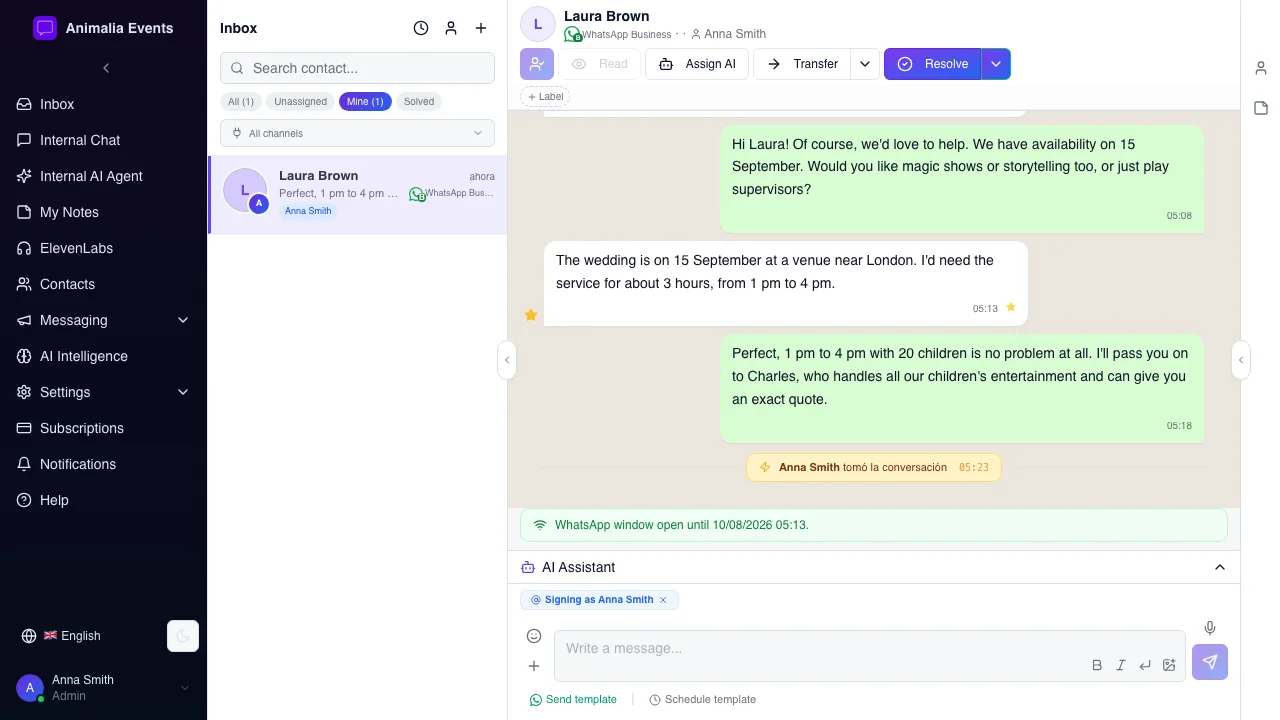
Entertainment, animation, catering, lighting, sound, and events companies receive enquiries across multiple channels every day. One rep manages WhatsApp from their personal phone, another replies to emails from their own account, and a third handles Instagram messages. Without a central system, chaos is inevitable:
Chatconverse solves all of this in a single platform.
Every message from every channel lands in the same place. WhatsApp Business, email, Instagram Direct and Facebook Messenger in real time, visible to all reps. Anyone can see what has been replied to, who handled it and when.
Is Jorge's client asking about something Marta handles? With one click, the conversation moves to the right person with the full history visible. No forwarding, no copies, no loss of context from previous exchanges.
Organise your contacts the way your business needs. Tag them by the type of event they are looking for (weddings, birthdays, corporate events), by the service they are considering (animation, catering, sound, lighting), by city or region, or by the stage they are at (quote sent, awaiting confirmation, returning client). Filter instantly and reach out only to those who matter right now.
Every contact has its own profile: name, company, source channel, full conversation history, notes, tags and dates. You do not need an external CRM. Your client data is where you need it, in the same place where you write to them.
Feed the AI agent with all the information your team typically shares with clients: approximate pricing, types of services, coverage areas, response times, frequently asked questions. The agent responds autonomously, in your company's tone, just like another member of your team. When a query requires human intervention, it escalates to the right rep.
Want to follow up with a client who requested a quote last week? Notify contacts in a specific area about new availability? Write the message now and schedule it for maximum impact.
Within each conversation, the team can leave private notes visible only to reps. "This client is waiting for a quote confirmation for 20 people", "prefers a call over WhatsApp", "event coordinator at XYZ company". Context that is never lost.
An 80-message thread with a client? With one click, the AI generates a summary of the key points. Any team member gets up to speed without reading the entire thread.
Within each conversation you can mark any message as a favourite, whether from a client, a professional or a supplier. The price the client confirmed, the exact event details, the technical requirements for the venue, a verbal agreement captured in the chat… All favourites are saved in the contact profile and are findable in seconds, even if the conversation is weeks old.


As many as you need. You can add users with no limit on simultaneous agents, and each one sees the full inbox in real time.
Yes. Chatconverse connects to the official WhatsApp Business API. Your number and contacts remain the same, and clients continue writing to the same number as always.
The system shows in real time who is typing or has already replied. If a rep already has the chat open, the system alerts the next one, indicating who is currently handling that client. The second rep must explicitly accept the conversation before they can intervene. This prevents duplicate replies and ensures each conversation is clearly assigned to one responsible person.
Yes. You can train the AI agent with all the information your team typically provides to clients: types of services, approximate pricing, coverage areas, usual response times and frequently asked questions. With that foundation, the agent responds autonomously, in your company's tone, as if it were another member of your sales team. When a query requires human involvement, it escalates to the right rep.
Yes. The entire conversation history is saved in the contact profile, regardless of which channel they used to write. Name, company, tags, internal notes and all exchanged messages, in one place.
It is designed for exactly that. The AI handles the volume of repetitive questions and reps only receive conversations that genuinely require human attention.
Yes, via WhatsApp campaigns. You can filter contacts by tag (for example, 'corporate events' or 'awaiting quote') and send them a campaign message. To use this feature you need to connect your number through the official WhatsApp Business API, which is the channel that enables it. The other channels (email, Instagram, Facebook) operate in one-to-one conversation mode.